


How to install?
First, you need to activate the service in the “Laboratory” section of your Wizzylab dashboard. The process of connecting BDOW to your Wizzylab online school is described in this article.How to add a pop-up window?
Step 1: Log in to your BDOW account and select the connected website using the “Manage” button. Step 2: Go to the Form section in the top menu and click “Create new form”.
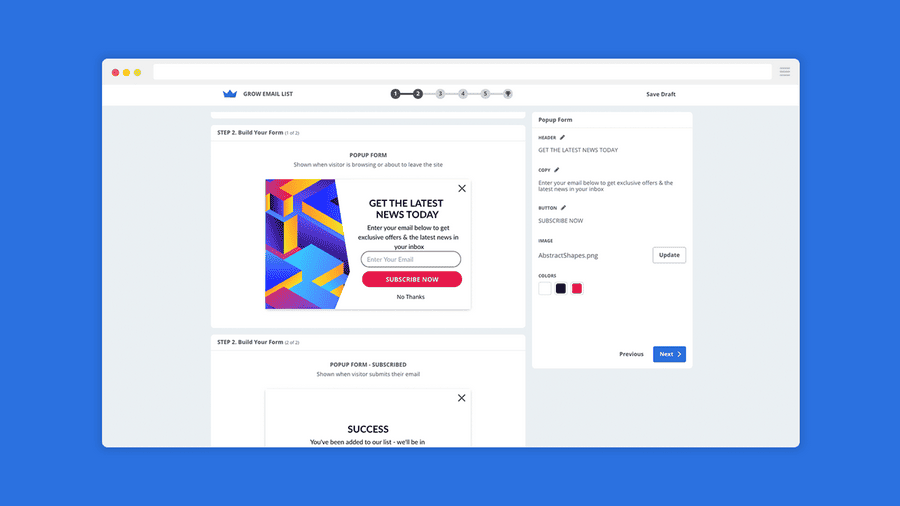
1) Select the “Collect Emails” option in the “My Goal” section.
2) Select the “Popup” type in the “Form Type” section.
3) To customize the text, use the editor on the right side where the form preview is displayed.
For example, to change the “Join Our Newsletter” headline, hover over the text and double-click it.
A text editing menu will appear on the left.
If you want to collect not only email addresses but also phone numbers, you need to add another field:
In the “Add new” menu, select the “Text input” element.
After adding the field, set the “Presets” value to “Phone number”.
Then drag the bottom edge of the form in the editor to make space for the new “Phone” field and move it below the “Email” field.
4) In the “Visibility” section, the “Smart Mode” is enabled by default. This means the service automatically chooses the optimal time to display the form.
You can switch to “Manual Mode” and set the display timing manually — in the “Timed” section, change the “Show Popup after” value as needed.
Step 3: That’s it! Click the “Publish” button in the bottom-right corner, and your form will go live. To check how the form works, visit your school website. It is recommended to use your browser’s incognito mode. All contact details collected through the form will appear in the “Email” section (top menu) of BDOW. From there, you can download them or import them into Mailchimp.Also published on Medium.