


- Log in to your Google Tag Manager account.
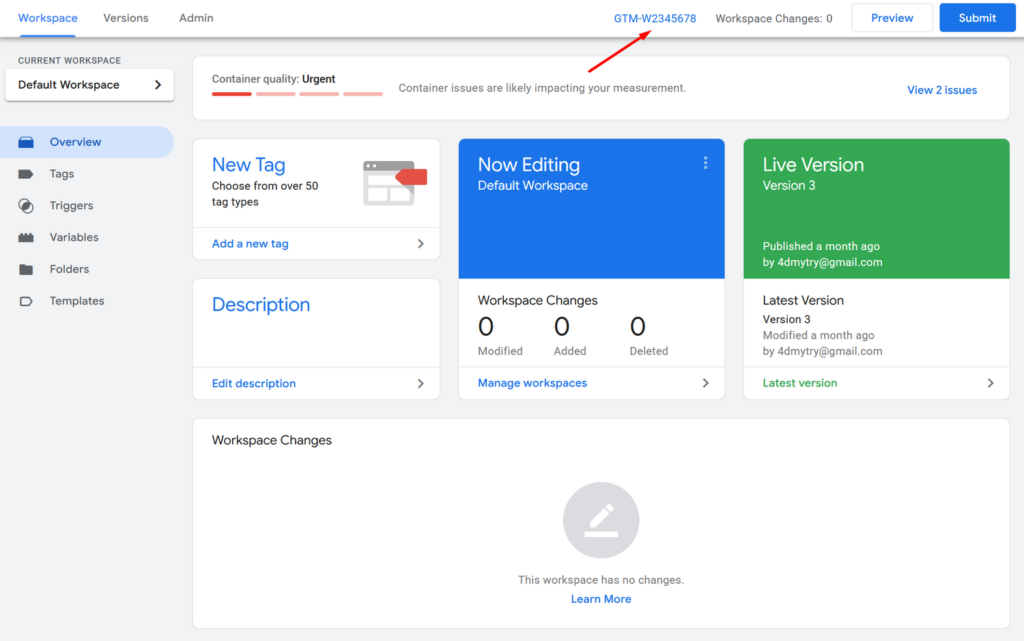
- Copy the code from your Google Tag Manager dashboard (you will see an ID in the top right corner in the format GTM-XXXXXX).
 Step 2: Add the code to your Wizzylab website
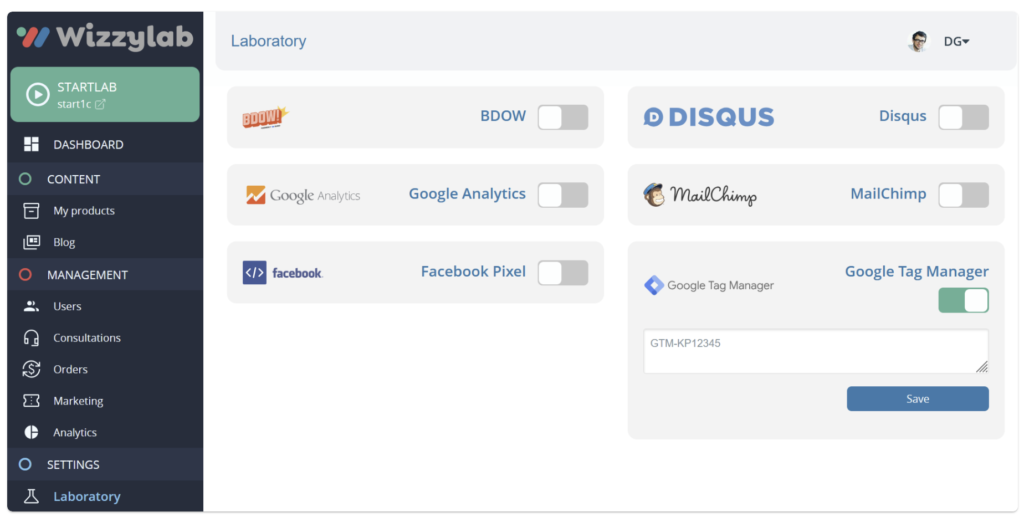
- Go to the admin panel and open the Laboratory section.
- Enable the Google Tag Manager option.
- Enter your Google Tag Manager code.
- Click Save.
 Note:
You can check whether Google Tag Manager is working correctly using the Chrome browser extension — Tag Assistant (by Google)
Note:
You can check whether Google Tag Manager is working correctly using the Chrome browser extension — Tag Assistant (by Google)
Also published on Medium.